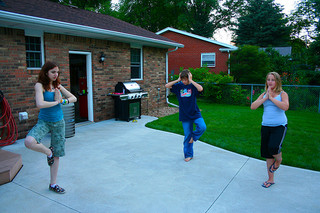
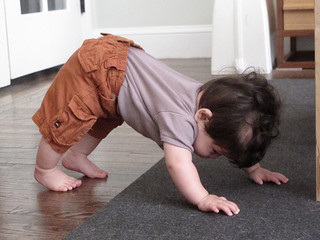
Yoga is a wonderful practice for kids to get into. Some of the reported benefits to kids doing Yoga include reducing stress, helping kids’ focus, concentration and memory, and improvement in appetites, sleep, and overall well-being. With a little help from a DVD, online video, app, book, or some nifty yoga cards, you can help your kids practice Yoga at home.
With that in mind, we have sought out the best stuff to help you get your kids doing some super cool yoga stuff pronto. Namaste.
Best Yoga DVDs for Kids
There are quite a few yoga DVDs aimed at kids. We checked out the following:
For ages 3-5
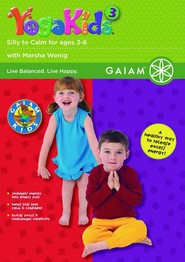
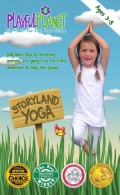
The best DVD for the ages 3-5 seems to be a toss-up between YogaKids, Vol. 3: Silly to Calm and Storyland Yoga: Yoga for Kids and Families (ages 3 to 8). Oddly enough, a few reviewers for both DVDs found them a little “weird,” but overall, the reviews for both these DVDs were very positive. A lot of users like to use Silly to Calm before bedtime to get their kids to wind down and become calm and peaceful. A common complaint about this DVD seems to be that there is a bit too much downtime or long pauses in the DVD where the instructor talks about the beauty of trees, etc. The other DVD that is good for this age range is Storyland Yoga: Yoga for Kids and Families. This DVD has two stories with a bit of an eco-conscious message that introduces Yoga by having kids learn yoga postures that are related to the story. What people really like about this DVD is that it keeps very kids interested and gives a fun, engaging elementary introduction to Yoga.
For ages 6 to 9
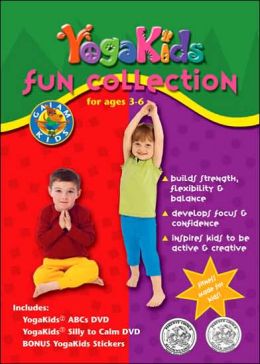
For ages 6-9, the best DVD seems to be Yoga Kids Two by Marsha Wenig (not to be confused with Yoga Kids, Vol. 2: ABC’s for Ages 3-6). This age group has a bit less choice in yoga DVDs than the younger group, so it’s a little harder to find a standout DVD, but the few reviews we could find(mostly from Amazon) are very positive.
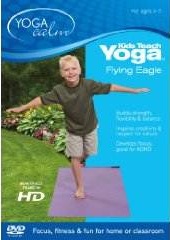
If you are looking for something a little different, you can try Kids Teach Yoga – Flying Eagle starring Lynea Gillen and Haley. Most reviews for this DVD are excellent, one of the things that people like about this DVD is that a child leads the class.
For ages 9+
For ages 9+, we recommend Shanti Generation: Yoga Skills for Youth Peacemakers – Ages 7-16. This is an excellent DVD for youth because it gives guidance on how to achieve stress relief, self-awareness, and self-empowerment all through Yoga. It has five 30 minute sessions to choose from, as well as breathing and relaxation exercises.
One of our favorite yoga apps is Super Stretch Yoga. It is a super helpful resource to help kids learn a few simple poses. What is great about this app is that Super Stretch Yoga includes poses that are easy for children, boys, and girls both appear in the app, and the illustrations are distinctive and appealing for kids.
Kids Yoga Journey is another exciting option for those a little more serious about Yoga. They offer four apps: I am Love, I am Sun, I am Moon, Short Sequence: Kids’ Yoga Journey Lite, and I am energy. All of the apps are for slightly different ages, it is much more new-age than Super Stretch Yoga, but it is worth a look.
Yoga Decks (Cards) for Kids
There are few different yoga decks you can choose from that are available the cards that have the best reviews are the Yoga Pretzels (Yoga Cards) by Tara Lynda Guber. The reason a lot of people like these cards over some of the other yoga cards out there is because they are bigger, sturdier, and more colorful than other cards making them easier to use. The Yoga Pretzels cards include yoga poses, games, and breathing exercises, while other products only have Yoga poses on the cards. One drawback to these cards that they don’t use common names for the poses; instead, they give the poses new names, so this can be a bit irritating for people who are familiar with Yoga.
Free Online Yoga Classes for Kids
Also, check out these super easy to follow YouTube yoga videos for kids:
There are some super helpful online math resources that are perfect for kids who might be struggling with math, or for kids who are looking to improve upon their existing skills.
It’s essential to have good math skills these days, so we have come up with a handy list of some of the best math curriculum websites, apps, and games to help you help your child learn to love math (well maybe) and improve their math grades.
*If you are looking for math help for younger kids, check out our post for kids who are pre-k to grade 3.
Best Websites with Math Games
A really easy way to get kids to practice math is to make it fun. So with that in mind, these are our favorite free websites with great math games:
Arcademic Skillbuilders is a great site that has online educational video games that help kids learn basic math. The games are free, but if you are a teacher, you can sign up for the Arcademics Plus option that lets teachers customize game content to fit lesson plans, monitor student progress with data tracking reports, and motivates students to improve performance with earned achievements and awards.
Sheppardsoftware is another excellent site that has fun online math games that cover all of the math fundamentals, including early math, basic and mixed operations, fractions, pre-algebra, dollars & cents, and place value.
Mangahigh is a high-quality site that has fun educational Math games. The site is aimed at teachers, but anyone can use the free versions of its excellent games.
Multiplication Games is a fantastic resource for learning multiplication facts and has a great collection of math games.
Math Playground is another really good directory of math games, logic puzzles, practice, word problems, and math videos.
Hooda Math has math games, apps, movies, tutorials, worksheets, and much more.
Math for Grades 3-6 this site is an excellent resource for math games with links to all the best games on the web for different topics like algebra, fractions, measurement, geometry, patterns, money, data, integers, and estimation
Kids Numbers is a free math resource designed by teachers, for students and children of all ages. On this site, students can practice all aspects of math, including addition, subtraction, multiplication, and division.
Math-Play has an extensive collection of free online math games for elementary and middle school students.
Math Bingo is a free fun way for children to practice math facts on the computer. You can do addition, subtraction, multiplication, or division BINGO. You can also get this game as an iPhone app.
Best App for Helping Kids Learn Math
Of the math apps that we’ve tried, our favorites are Splash Math Apps. These apps are designed to be kind of like interactive workbooks that cover an entire school years’ worth of material. In the apps, you drag and drop shapes, pop bubbles, rotate clock hands to solve problems. A weekly e-mail report feature keeps track of student progress.
Splash Math Apps go from grades one to five. AskATechTeacher did an excellent review of the grade 5 app saying Splash Math (grade 5) “is robust, satisfying, and intuitive enough, fifth graders will have no problem installing, setting up and using it independent of adult assistance. The start-up steps are clear. Screens are colorful and uncluttered, making their purpose easy to understand. The space theme will appeal to most fifth graders, especially with ‘space’ being a common fifth-grade unit. Parents and teachers will be pleased that math skills are aligned with fifth grade Common Core State Standards and include an endless supply of problems on topics like decimals, fractions, dividing by two-digit numbers, place values, number sense, multiplication, division, measurement, and age-appropriate Geometry and Algebra. Each topic has between four and twelve worksheets where kids drag and drop shapes, rotate clock hands, pop bubbles, and lots more as they solve problems. The app uses an adaptive learning algorithm to determine the child’s level and gradually increase the difficulty with the user’s skill.”
Top 6 Websites with Math Lessons/Curriculum
Math curriculum sites are an excellent option for parents whose math skills might be a little rusty because they have lessons that explain concepts and then have your kids practice what they have just learned. Here are some great math curriculum websites:
IXL Math is a math practice site with 2,000 skills covering junior kindergarten to grade 10, and an unlimited number of computer-generated problems that adapt to your child’s ability, increasing in difficulty as they improve. It also offers immediate feedback and question-specific explanations to solidify understanding of each concept. Parents get a weekly e-mail update on the child’s progress. The child can earn awards and certificates as they reach important milestones. The curriculum can be tailored for the U.S, Canada, Australia, Ireland, New Zealand, South Africa, and the U.K. Cost– $9.95/month or $79/year, or they allow you to complete up to 20 questions per day for free.
Dreambox Learning is an online program designed for ages 5-8 that has educational games that are individualized for students, adapting the curriculum just for them. Cost– $12.95/month or $59.95/6 months, and they also offer a two-week free trial.
K5 Learning is a multi-award winning online afterschool study program for kids in kindergarten to grade 5 that uses adaptive technology to help kids develop instant recall of essential addition, subtraction, multiplication, and division facts. Cost-Monthly subscription First child $25 additional children $15 annual subscription first child $199 additional children $129. The site also offers a 14-day free trial.
Time4Learning for homeschool, afterschool, and summer skill sharpening, Time4Learning’s award-winning pre k to eighth-grade curriculum combines the technology kids love with the education they need to make learning fun. Cost $19.95/month for the first child and $14.95/month for each additional child.
Maths-Whizz from the U.K is an award-winning online’ math tutor’ that uses interactive animations and tutoring methods to deliver measurable results. Includes math resources and math games for kids. Cost -$19.99 per month, per child, or try the free trial.
ALEKS for ages 5-18 is a web-based, artificially intelligent assessment and learning system that has a “complete curriculum solution for math with access to full course library” (U.S curriculum) that can target gaps in student knowledge. Cost $19.95/month, $179.95/yr, or try their three-hour free trial.
More Supplemental Math Resources worth Checking Out
If you are looking for some other types of supplemental material, there are a few programs that are popular with homeschoolers that can also be helpful for kids in a school program that is worth having a look at. They are:
JUMP Math is a teaching program initially designed to help struggling math students by breaking concepts down into small steps. JUMP offers curriculum-based programs, materials, and training for teachers and parents to enhance math lessons for students in Grades 1-8. The program’s mission is “To enhance the potential in children by encouraging an understanding and a love of math in students and educators.” If you are a parent and are just looking for supplemental resources, a great place to start is with the JUMP at Home Worksheets.
Brain Pop is a fantastic site if you are on the market for a supplemental resource that kids will enjoy doing. Brain Pop is an educational website that has short animated movies for students in grades K-12 (ages 6 to 17) covering the subjects of science, social studies, English, mathematics, arts and music, health, and technology that feature the recurring characters Tim and Moby. Brain Pop has about 70 math videos with a huge range of topics. A basic family Brain Pop subscription starts at $99, and you must commit to subscribing for the entire year. Discount codes are occasionally available.
Watch Know Learn has free educational videos with lots of math content available.
Featuring the Best Math Websites, Apps, Software, Workbooks, and Books
How can parents help their children with math at home? There are lots of different approaches you can take to help your kids develop their math skills. You can use software packages, apps, workbooks, books, videogames, and websites, just to name a few things. So to try to help you out a bit, we have gathered up the best of all sorts of different kinds of math resources that are out there and checked out all the reviews to pick out the very best stuff. If you have something that you have used to help your kids with math, let us know we would love to know about it.
*If you are looking for math resources for older kids, check out our post for math help for kids in grades 4-6.
The Best Free Websites with Math Games
There are lots of sites where you can play free math games that are fun and help reinforce concepts the child has already learned. The following sites are our top four:
Funbrain Everyone loves this site. It’s the #1 site for online educational games for kids of all ages. It has good graphics, easy navigation, free educational games, online books, and comics that develop skills in math, reading, and literacy.
Houghton Mifflin Kids’ Place Math Houghton Mifflin is a company that publishes textbooks, reference works, fiction, non-fiction, and educational software and videos, and this site is their interactive math resource that is great for math practice.
Math Cats is another of our favorite math sites. This site has no advertising and features lots of open-ended math activities.
Jumpstart is an excellent free resource for online math games. No ads, great graphics, and fun games from one of the educational software’s most well-known brands.
Skoolbo is another interesting free site to have a look at. The site “is the world’s largest educational game ever! Skoolbo is a literacy and numeracy program with more than 50,000 questions designed to assist 4 to 10-year-olds in their journey to mastery of essential reading and mathematics skills.”
Best Math App
If you want a fantastic math app for your kids, get Park Math. This is the best math app that we have come across so far.
The reviews for this app are excellent, it won 2011 Parents’ Choice Silver Award winner from the Parents’ Choice Foundation, 2010 Best Kids’ iPhone/iPod App of the Year Award from iLounge and it also got a Children’s Technology Review Editor’s Choice Award for Excellence in Design. In a review of Park Math on GiggleApps, they say, “This app helps kids ages 1-6 explore math concepts in a way that is bright and cheerful and above all else, never seems like work. I am impressed with how content-rich the app is, having seven activities to choose from as well as two levels of difficulty, all with a lovely theme of animals having fun, playing at a park. Recently, an iPad version, Park Math HD, has been released, which also includes a 3rd level as well.”
Websites with Math Lessons/Curriculum
There are several websites with really great math curriculum lessons that you can try out for free (before committing to a subscription). We’ve narrowed it down to our five favorites, they are:
IXL Math is a math practice site with 2,000 skills covering junior kindergarten to grade 10, and an unlimited number of computer-generated problems that adapt to your child’s ability, increasing in difficulty as they improve. It also offers immediate feedback and question-specific explanations to solidify understanding of each concept. Parents get weekly e-mail updates on the child’s progress. The child can earn awards and certificates as they reach important milestones. The curriculum can be tailored for the U.S, Canada, Australia, Ireland, New Zealand, South Africa, and the U.K. Cost– $9.95/month or $79/year, or they allow you to complete up to 20 questions per day for free.
Dreambox Learning is an online program designed for ages 5-8 that has educational games that are individualized for students, adapting the curriculum just for them. My daughter uses Dreambox and enjoys using it. Cost– $12.95/month or $59.95/6 months, and they also offer a two-week free trial.
K5 Learning is a multi-award winning online afterschool study program for kids in kindergarten to grade 5 that uses adaptive technology to help kids develop instant recall of basic addition, subtraction, multiplication, and division facts. Progress on every math fact is monitored until mastery is obtained. Cost-Monthly subscription First child $25 additional children $15 annual subscription first child $199 additional children $129. The site also offers a 14-day free trial.
Time4Learning for homeschool, afterschool, and summer skill sharpening, Time4Learning’s award-winning pre k to eighth-grade curriculum combines the technology kids love with the education they need to make learning fun. Cost $19.95/month for the first child and $14.95/month for each additional child.
Maths-Whizz from the U.K is an award-winning online’ math tutor’ that uses interactive animations and tutoring methods to deliver measurable results. Includes math resources and math games for kids. Maths-Whizz is aligned to national maths curricula across the world. Cost -$19.99 per month, per child, or try the free trial.
Best Math Book for Kids ages 5+
When researching this post, we came across this book that looks to be an excellent resource for teaching kids math at home.
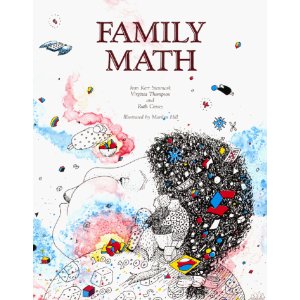
Family Math has over 300 pages of lively activities that use easy instructions, and simple objects such as beans, blocks, pennies, buttons, and string, parents, and kids solve problems together. It’s recommended for families with children five to twelve years old
The Best Math Workbooks
If you are looking for workbooks, a great company to check out is School Zone.
You’ve probably seen these workbooks around if you have spent any time looking for workbooks because they are sold everywhere. What you might not know is that they offer the workbooks in different forms, as well as the hardcopy books that you can easily buy in stores, you can get the software with interactive workbooks or workbooks in app form.
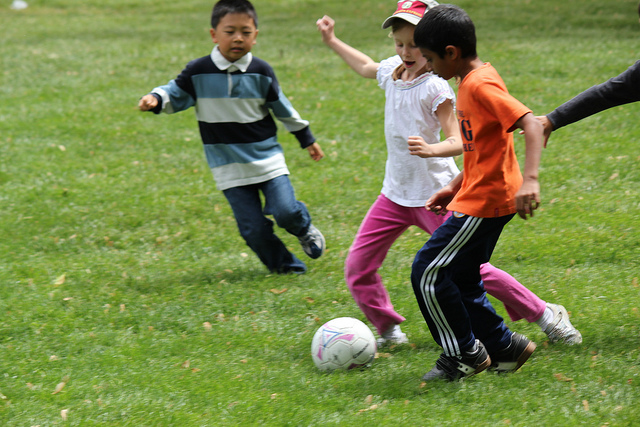
If you have a ball and some general knowledge about soccer, you are all set to teach your little one how to get started building up some exceptional skills. Grab a ball, get your kid, find a backyard or a park, and have some fun! We have found some great tips, some soccer DVDs and books that are an excellent resource for teaching kids everything they need to know.
The four skills you want to introduce to the child are:
Dribbling,
Ball Control
Shooting
Goaltending
Dribbling is moving the ball with your feet. This will be a little trickier than teaching your kids to shoot the ball. You can start by showing them how to move the ball around using different parts of your feet. Don’t get too crazy; just keep it simple and let them have a try. Remember to give them lots of encouragement and keep it fun if you want to create a little bit of a challenge; you can set up cones or obstacles for the child to dribble around.
Ball Control is receiving the ball by stopping its movement. This is an essential skill because you need to be able to set up a quick shot or pass when playing the game. To practice ball control, you can throw or kick the ball to your child so that they can stop the ball with their feet, and then when the ball is under control, they can take a shot back to you or into the net.
Shooting is just kicking the ball. To practice, start with a stationary ball and then work up to a moving balling ball. The shots can be taken from any part of the foot, but the top part of the foot gives the shooter the most power. If you are teaching a very young child, don’t expect too much in the way of accuracy. Practice making shots at the goal from different distances and angles and remember to keep it fun!
Goaltending is another vital skill that you can practice at home. Make sure your child is standing out from the net a little bit, and you can practice taking shots at them from different angles. You can also teach them or have them practice their kicking and ball throwing skills, which are a fun thing that Goalies get to do.
Once the child has gotten the idea of the basic skills, you can introduce them to how the game is played and some more advanced skills. A couple of simple things you can go over:
The object of the game is to get the ball into the net and score points.
The reason they need to learn the necessary skills of dribbling, ball control, and shooting is so that they can move the ball from one end of the field to the other.
Explain the concept of defense and why the goaltender is essential.
Soccer DVD’s for Beginners
If you are looking for DVDs to help show you kids some of the basics of soccer, you could try Soccer for Kids-Getting Started. It has Squishy, the animated talking soccer ball, leading an exciting journey, featuring fun sing-alongs and simple diagrams to help introduce kids to the fundamentals of dribbling, passing, shooting, and more. Or you could try The Littlest Leaguers: Learn to Play Soccer, which is another accessible introduction to the fundamentals of soccer.
My Soccer Book (for ages 4-8) is a simple book that explains the fundamentals of soccer in basic steps and straightforward explanations for preschoolers.
The Everything Kids’ Soccer Book (for ages 9 +) gives kids tips and strategies for passing, heading, and defending. Kids also learn how to stretch before a big game, proper throw-in technique, rules of the game, dribbling drills, effective on-field communication, and the importance of teamwork.
Little Soccer is a straightforward board book for younger children. It has ‘riddles’ about soccer that the kids can answer. It is part of a Little Sports series that also has books for basketball, baseball, football, and hockey. My five year old loves this series. It’s a simple way to teach kids about some of the aspects of the game.
People often assume that a person is born with the ability to draw or they aren’t. Some people firmly believe that you shouldn’t even try to teach a child to draw using a step by step method because it will limit your child’s artistic expression and have too much of an influence on your child’s future work.
We don’t agree with that because we think a little guidance can be helpful when trying to learn to draw for most kids. So with that in mind, if your child has expressed some interest in learning some basic drawing techniques or improving upon their already existing ability, we have found lots of great drawing websites, DVDs, apps, video games, and online art lessons that can help kids draw.
Before beginning, check out this excellent website with two perspectives on drawing development in children that may help you pick appropriate material for your child’s age and development stage.
Quick Overview of Some of the Big Names in Teaching Kids to Draw
Mark Kistler has done several TV shows (Imagination Station, The Secret City Adventures, and The Draw Squad) and a crazy amount of books on teaching kids to draw. His work mainly features instruction in 3D cartoon style pencil art, focusing on basic 3D shapes and techniques. Check out his online drawing lessons.
Christopher Hart is another big gun in the teaching kids to draw world. He has lots of great books on how to teach Manga-style drawing, but if your kids are just beginning, you might want to check out his books on how to draw cartoons or how to draw animals. There are some free tutorials on his site, as well as a link to his blog that also has lots of cool tips and tutorials.
Ed Emberley is an excellent resource for kids who want to learn to draw. He has an incredible amount of drawing books for kids. Check out some samples from his drawing books to see if it is your kind of thing.
Draw Write Now is another excellent series to think about if you want to get some books on this topic. There are eight books in the series for ages 5-9 that have step-by-step drawing instructions.
Step4Kids: To Draw uses video modeling to teach viewers how to draw over 40 items ranging from shapes to more complicated things like animals, a bike, etc.
Apps
How to Draw Animals for Kids is an app that helps young kids to learn how to draw animals using easy, step-by-step instructions that are simple, but cute.
Draw me… for iPad is a drawing tool designed specifically for children. You can draw, color, or write using different models and backgrounds.
Drawing for Kids (step by step) is an iPad app that has 30 drawing tutorials with six step-by-step instructions provided for each drawing.
Drawing Rabbit-Teach kids how to draw simple drawing is another iPad app, and it has two drawing modes with ten different pens to use. There are also dozens of simple figures, including plants, fruit, animals, etc.
Video Games to Help Kids Learn to Draw
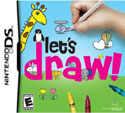
For very young kids, there is a Nintendo DS game that is very popular called Let’s Draw! that is designed to introduce children to the creative process by making drawing easy, accessible, and fun.
Online Art Lessons for Kids
Dragoart has lots of online drawing tutorials for kids. They have step-by-step instructions on how to draw just about anything you can think of.
Kids Front is another site with step-by-step drawing lessons for children that show kids how to draw cute cartoon animals.
Hello Kids also have drawing tutorials and drawing lessons for kids of all ages with lots of different categories to choose from.