by Admin | Aug 11, 2012 | Languages
Hola! Did you know that Spanish is the second most spoken language in the world? So for anyone who is looking for Spanish resources for kids, we have put together a small list of the very best DVDs, CD/MP3, websites, and books that we could find that parents can use to help kids learn Spanish at home.
DVDs
Your best bet if you are looking for a DVD to help you teach your kids Spanish is the Whistlefritz series Spanish for Kids: The Complete Collection.
This series has won 48 awards (48!), and the reviews are over the top good. It was even one of Dr. Toy’s 100 Best Children’s Products for 2012. The reason this DVD series is so good is it covers all kinds of things such as different rooms of the house, parts of the body, animals, seasons. Each DVD is less than 30 min, and all the songs from the DVDs are also on a CD, which you can use to help reinforce what your child is learning. It’s great fun and educational DVD.
Helpful CDs/MP3s
There are lots of CDs out there to help teach kids Spanish, but since we are going to recommend only one, our favorite has got to be En Mi Casa from En Mi Casa. The reason this cd is our favorite is that the songs are fun and catchy, and our kids love it. The music is excellent with catchy lyrics that make it a fun language lesson. En Mi Casa includes all the lyrics which are easy to follow because the singing is clear and slow enough to follow along with. So there you have it.
Popular Books
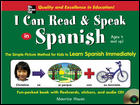 A great book to teach your kids Spanish is I Can Read and Speak in Spanish (Book + Audio CD). It is for a complete beginner and is very basic. Also, it includes an audio CD, which is very important when just starting with a language. The book goes over 60 words that are used in simple illustrated stories. Learning activities at the end of each story encourage kids to re-create the sentences and create new sentences of their own, using specially designed flashcard symbols. Each book includes a storybook illustrated with photographs, storybook narration (on CD) for proper pronunciation, flashcards, and stickers, and tips for parents on how to adapt the material to their child’s learning style.
Free Websites
SpanishTown is a free site that has suitable Spanish language learning materials for all levels and all ages.
DuoLingo is a fun free site that is great for school-aged kids. It has gamified language learning and is 100% free.
Discovery Kids Spanish has lots of fun videos in Spanish for kids.
123 Teach Me has a well-organized site that is perfect for helping kids learn Spanish. It has vocabulary, games, quizzes, numbers, flashcards, and lots more.
Read More: Top Products Parents are using to Teach Their Kids to Read
by Admin | Aug 10, 2012 | Sports
If you are a parent who would like to teach your child how to swim, there are some pretty good tips and videos online that can give you great advice on how to help kids learn how to swim. We have rounded up some of the best websites, DVDs, and online videos to show you what to focus on.
Before you start, though, remember that water safety is the most essential thing, so kids under seven should always be within arm’s reach of an adult and NEVER leave a small child unattended near pools, lakes, rivers, streams.
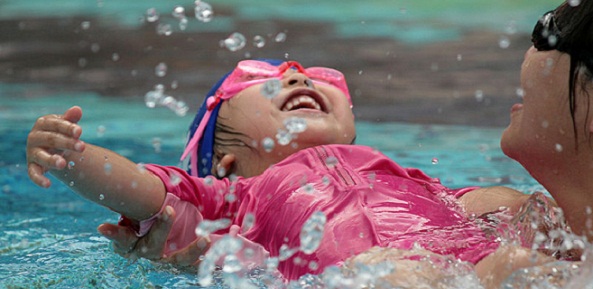 If you are up for the challenge, here are some online swimming lessons to check out:
- U Swim is an excellent free site that describes itself as the community service, which shows you how to teach children of all ages to swim. They break videos down by age and skill level, and this is a great place to start if you want to learn how to teach some necessary swimming skills. They also offer an iPhone app.
- World Wide Swim School is another option for parents who are looking for online lessons. This site was created by Laurie Lawrence, who is Australia’s water safety advocate, infant aquatics pioneer, learn to swim expert and gold medal Olympic swim coach (Gold!). You download the lessons in this program, and they cost around $100 each, this is a bit pricey, but there are some free samples so you can try the program before buying it.
If those aren’t quite your cup of tea, have a look at these online video series:
- Robert Bina’s “Learn how to swim” series is pretty great if you can get past the funky music and the old school graphics. The videos in this five-part series are very informative and very strong on teaching safety tips. This is a good series for ages 5 -9.
- Phillip Toriello’s video series are short lessons on things like floating, treading water, big arms, and diving. They are very watchable and give lots of useful tips.
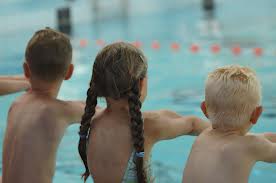
If you want a DVD check out:
- The Swimming Lesson This series was made to teach children the basics of swimming and water safety in the pool. This is a guide for a fun interactive under five-year-olds swimming lesson. You can download this program to your computer for $9.95, or there is an iPhone version that is also $9.95 that might come in handy if you are traveling and maybe trying to teach your kids to swim at a hotel pool.
- Waterproof Kids DVD is another DVD that has step by step lessons to help parents teach kids how to swim with a strong emphasis on safety. The reviews are generally very strong for this DVD, with people finding it well organized, easy to follow, and it has useful age-appropriate techniques.
Websites
Teach Your Kids to Swim is a site with tips and tricks for fun-for-everyone swimming lessons.
photo credit: Grufnik via photopin cc
by Admin | Aug 4, 2012 | Education
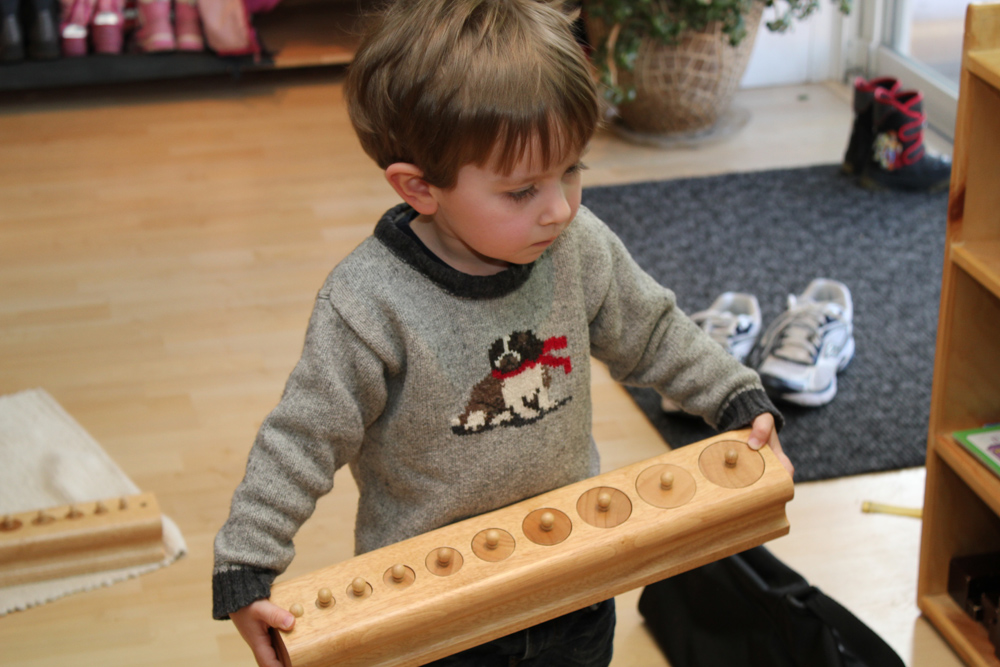
Montessori education is devoted to helping each child achieve his or her potential and develop a lifelong love of learning (who doesn’t want that for their kids?). The Montessori approach lets children learn at their own pace according to their own choice of activities. Perhaps surprisingly to some, the principles can easily be used at home as well as in schools. With that in mind, here is our little overview DIY guide to help get you started with Montessori methods that you can try out on your own without forking out the thousands of dollars in school fees.
Books
An excellent place to start in your DIY Montessori adventure is by checking out some of these popular books. They give you lots of ways to bring the Montessori ideas into the home.
- How To Raise An Amazing Child the Montessori Way -This is a great and simple introduction to some Montessori ideas and ways to bring them into the home. Deb Chitwood of Living Montessori Now writes in a review of this book, “If I could recommend one educational book to parents of children ages five and under, what would it be? After thinking about all the wonderful books I’ve read, one book stands out as the book I would recommend to any parent with a young child. That book is How To Raise An Amazing Child the Montessori Way by Tim Seldin, President of the Montessori Foundation. It is an amazing book!”
- Teach Me to Do It Myself: Montessori Activities for You and Your Child. This is an easy to follow book with color photos showing how to do necessary Montessori activities at home, and it also suggests inexpensive ways to make activities. The book is easy and pleasant to read; it’s in color and has plenty of photos.
- Teaching Montessori in the Home: Pre-School Years: The Pre-School Years – This book was initially written in the ’60s, but most of the instructions about making Montessori materials at home with everyday household items or easy-to-obtain craft supplies are still relevant today. This book is a great starting point for teaching Montessori in the home. DiscovertheChild wrote of this book, “Beyond the introduction to Montessori theory, Hainstock presents lots and lots of activities that you can use in your home. For each activity, she lists the age range, the materials needed, how to demonstrate it to your child, the purpose of the exercise, and the control of error built into each one. “
Websites
If you really want to be a true DIYer and are feeling a bit ambitious here are some wonderful sites that give you advice on how to make your own great Montessori activities:
- Maybe Montessori this is a fantastic site that is written by a mother who is documenting “our adventures in homeschool preschool the Montessori way (with a little Charlotte Mason thrown in for good measure)”. This site blows my mind.
- Living Montessori Now has tonnes of great info on Montessori Method and DIY Montessori activities. You can also learn how to use Montessori principles and methods in parenting and life in general.
- Homemade Montessori is another excellent site if you are thinking of using the Montessori method in your life at home. Lots of great tips, ideas, and activities listed for you to try out.
Materials
After checking out the books and the websites, you can start putting the Montessori theories into practice. Here are a few good toys to help get you going if you aren’t quite up to making your own activities yet: Practical Life activities are methods that teach the child to learn how to do everyday living activities purposefully.
- Schylling Little Helper Broom Set is a child, sized broom set that helps encourage children to learn to clean up their own messes and acquire the habits of mental and physical order.
- Melissa & Doug Deluxe Latches Board is a reasonable, cost-effective alternative to the Montessori Locks and Latches Sets. The Montessori Locks and Latches Sets can cost over $100, so the Melissa and Doug set is a much more reasonable price at around $20.
Sensorial These are materials that will help a child develop and refine his or her five senses.
- Plan Toy Geometric Sorting Board is an excellent tool for teaching shape recognition and early geometry. It also helps to introduce color and pattern recognition through play. This sorting board has four different wooden shapes in four bright colors. Kids match the correct form with the right number of holes to the corresponding wood pegs. Sorting is essential in the Montessori method because it helps children understand that things are alike and different as well as that they can belong and be organized into specific groups, which ultimately helps with math skills and numeric concepts.
- Montessori Cylinder Blocks a great Montessori tool; unfortunately they are a little pricey, but the reviews are very good for this toy. The cylinders are well crafted, and a child can learn about sequencing, geometry, weights, and shapes. Primary Montessori has a great lesson on how to use cylinder blocks.
Language
- Montessori Lower Case Sandpaper Letters w/ Box can be used to help familiarize kids with the look and sound of each letter while the child is also developing muscle memory of the letters in preparation for writing. To use them, trace one of the letters with your pointer and index finger while saying the sound of the letter. Do this several times so that it is very clear to the child what you are doing. Then have the child trace the letter, the same way you just did. As they are doing this, continue to make the phonetic sound of the letter.
- Montessori Small Movable Alphabets w/ Box can be used to practice reading skills, word building skills and even help children identify phonograms in words.
Mathematics
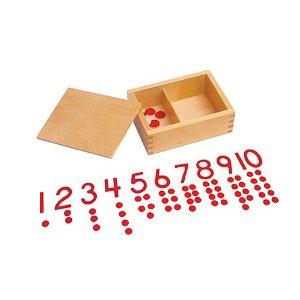 Kid Advance Montessori Cut-Out Numeral and Counters can help to teach kids some of the basics of counting and numbers. More specifically, it reinforces the sequence one to ten, gives another perceptual experience of quantity as a collection of separate objects, and also can help introduce the concept of odd and even.
Apps
There are several Montessori apps available, although we’re not sold on the idea. One of the basic concepts of the Montessori method is the hands-on learning approach, so it is worth questioning whether you will get anything like the same experience or result from these apps. It is a bit of a controversial topic that you can explore a bit further if you go to Maria Montessori.com. But people love the apps, so here are some of the most popular Montessori apps you can check out if you are so inclined, and you can make up your own mind.
by Admin | Jul 8, 2012 | Education
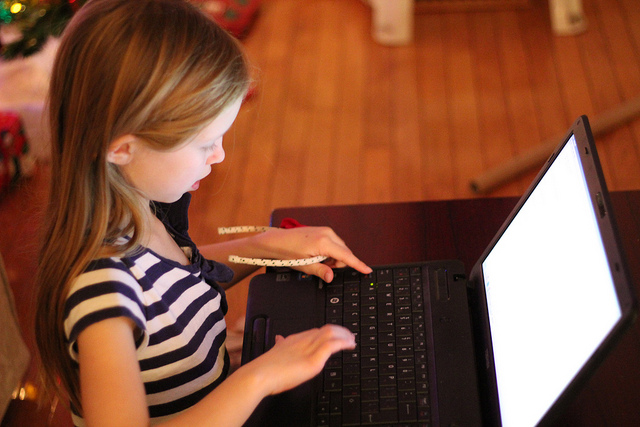
If you are trying to find some websites for kids to learn how to type, you are in luck. There are A LOT of typing websites and software around for typing practice that offer fun games and lessons that will have your kids typing in no time. Here are our top picks:
Best Free Typing Websites for Kids
- Dancemat is probably the best free site to start with for small children who want to learn to type. The site is run by the BBC and uses animation and games to introduce touch typing to children aged 7 to 11. The character voices can get a bit annoying for an adult, but it’s a fun free site that will keep your kids engaged.
- E-Learning for Kids offers a relatively elaborate online typing course for kids that has pretty cool graphics and a whole storyline having to do with an alien and a space ship.
- Typing Class is easy and straightforward to follow. It doesn’t have the fun animation that some of the other sites offer, but the lessons are suitable, and the site shows you your speed and your accuracy.
- Typing Club is a free touch typing tutorial site that is very well done and easy to use.
Best Typing Games for Kids
There is no shortage of typing games for kids. Here are just a few games to check out for the beginning typist.
- Super Hyper Spider Typer -this game from fun Funschool has lizards with words on their backs that are after Berry, the hairy spider. The point of the game is to save Berry from the lizards by typing words quickly as they appear on their backs and to stop the spider from getting eaten. If you type in the letters or words you see on the lizard’s backs as soon as they appear on the screen, it clears them away. Some words are more challenging than others, so you have to type fast to win. Each round ends when the spider reaches the top of the tree.
- Typing for Tots is a simple game that shows a short sentence and then lets your child type the letters and words from the sentence into your computer. It marks the letter the child is supposed to type in green.
- Key Board Game at Big Brown Bear is a keyboard review game. It basically shows a giant keyboard, and you are supposed to press the key shown in red to score a point. If you press the wrong one, you’ll lose a point- it’s pretty simple and a useful review of the keyboard.
- Games from Free Typing Games if you can deal with all the ads, this site has some good games. They are a bit more advanced, so if you kids are just starting don’t go to this site first.
Best Typing Software for Kids
If you are looking for a more intense program to teach your kids how to type there are a few different options available, some of the ones we looked at are JumpStart Typing, Mavis Beacon Keyboarding Kidz Typing, Ultra Key, Typing Quick and Easy and Typing Instruction for Kids Platinum. If we were going to be buying a software package, we would choose Typing Instructor for Kids Platinum.
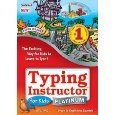 The skill-building typing games are fun to use and will keep kids interested. Some users might have trouble running this software on their OS, so make sure you check specs if you are thinking of buying it.
Typing Instructor for Kids is a top pick because it is a reasonably priced, well-designed bit of software that gets pretty good reviews overall. It was also the #1 best-selling typing program specifically designed for kids. You can also get this program as an App.
by Admin | Jun 20, 2012 | Education
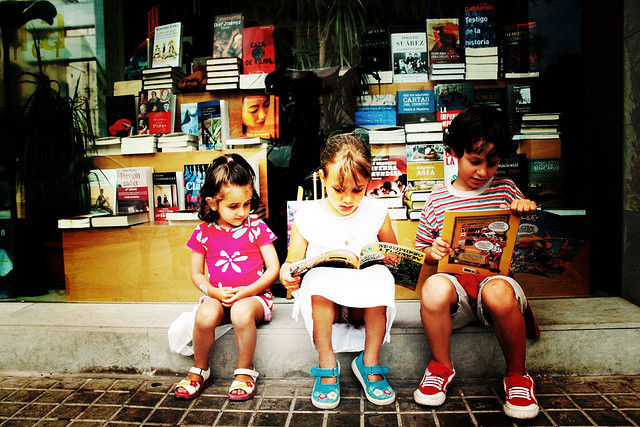
Teaching kids to read can be so rewarding, and yet so incredibly frustrating at the same time. It might seem that everyone else’s children are reading earlier or are finding it much easier than your kids. If that is the case, you are probably looking for a bit of extra help. If you are then great news because we have the secrets to teaching kids to read that other parents might not be telling you about. There are some amazing products available that you need to be aware of that will get your kids reading successfully in no time.
Since the ‘Phonics’ marketplace is pretty swamped, we have put together a little guide to help get you started with the best free websites, the best system, DVDs, books and apps that we could find that can help kids learn to read in a fun and hopefully stress-free way.
Best Videos for Teaching Kids Phonics
If you are looking for a DVD that will help your kids learn their phonics sounds LeapFrog: Letter Factory is a great video to check out. It won’t teach it won’t teach your kids to read, but it will give them a great start by teaching them their phonics sounds.
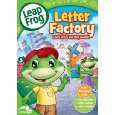 If you have younger kids, getting this DVD is a perfect place to start. It basically teaches children the phonic sounds of the alphabet in an entertaining, easy, and fun way. You and your kids will be singing the songs, and your kids will learn precisely what sound each letter makes. It is an excellent foundation for pre-reading since it is a fantastic teaching tool disguised as entertainment, and your kids will love it.
The Best Book to use to Teach your Kids to Read using Phonics
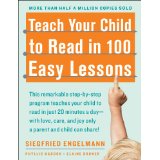 Teach Your Child to Read in 100 Easy Lessons is the book to get if you want to get your kids reading. This book is amazing if you can find 20 minutes a day for 100 days and are willing to put it the time and get the lessons done – it really does work. A bit of a warning though, there is a good chance your kids will not want to do the lessons because they aren’t bundled up in a cute package with super kid-friendly illustrations. You will have to be creative in getting them to do the lessons, but if they do the scripted lessons when they are finished, they will be reading at a second-grade level (second grade!).
If your kids are starting to recognize phonics sounds and you want to get them some storybooks to practice with, you should look for books that are known as ‘phonics readers.’ The British book company Usborne have a really good set, but they don’t seem to be easy to find in the U.S, you can look for some like Starfall’s Learn to Read series.
Best Online Phonics Program (Free)
There are a few free phonics websites around; we checked out ABC Fast Phonics, Progressive Phonics, and Starfall. The site we liked the best that offer free phonics resources was Starfall.
 Some of the paid sites (ClickNKIDS.com, Time4Learning.com) have free lessons that you can find on the sites, but we are just reviewing the entirely free sites in this section. Starfall is a free website that teaches children to read with phonics by using phonics games and online interactive books. Kids can learn pre-reading skills that help them gain the skills to eventually read short online books. With this site, kids can practice letter sounds, word recognition, and reading comprehension by going through the site’s excellent online books, songs, and games. The site reads the books back to the child, and it offers lots of resources for parents and teachers. They also have a paid version for home or school.
Best Phonics Program (not free)
The two Phonics Systems that we narrowed our search down to were ClickN KIDS and Hooked on Phonics. Ultimately we choose ClickN KIDS, mostly because of the cost.
The Best Phonics Toys and Reading Systems
Two of the most prominent players in ‘the learn’ to read educational toys space are Leapfrog and V-Tech. Both companies have lots of different toys or systems that you can choose from that are, for the most part, pretty reasonably priced. If your child is just starting and is still learning the phonics sounds, a toy that you should consider is the LeapFrog Fridge Phonics Magnetic Alphabet Set. You really can’t go wrong with this super popular toy, it’s cheap, it really does teach kids their sounds, and it is a significant first step to learning to read.
If your kids know their sounds and you are looking for something a little more complex to help get them reading, you might want to consider the super popular LeapFrog LeapReader Reading and Writing System. People love this system, but the only drawback is that you have to keep buying books for it.
photo credit: cuellar via photopin cc
photo credit: John-Morgan via photopin cc